Quick Log
Quick log lets you capture any interaction in one sentence. Type a plain line about who you talked to (or something you noticed about them) and Groupthink figures out who it's about and updates your relationship with that person. No form, no contact picker.
Opening quick log
Two ways, from anywhere in Groupthink:
- Press ⌘K (Mac) or Ctrl+K (Windows)
- Or click "Quick log" in the left sidebar
Logging an interaction
Type one sentence the way you'd text a friend about what happened, then click Log it (or press ⌘Enter):
grabbed dinner with Adam, he's worried about his Q3 number
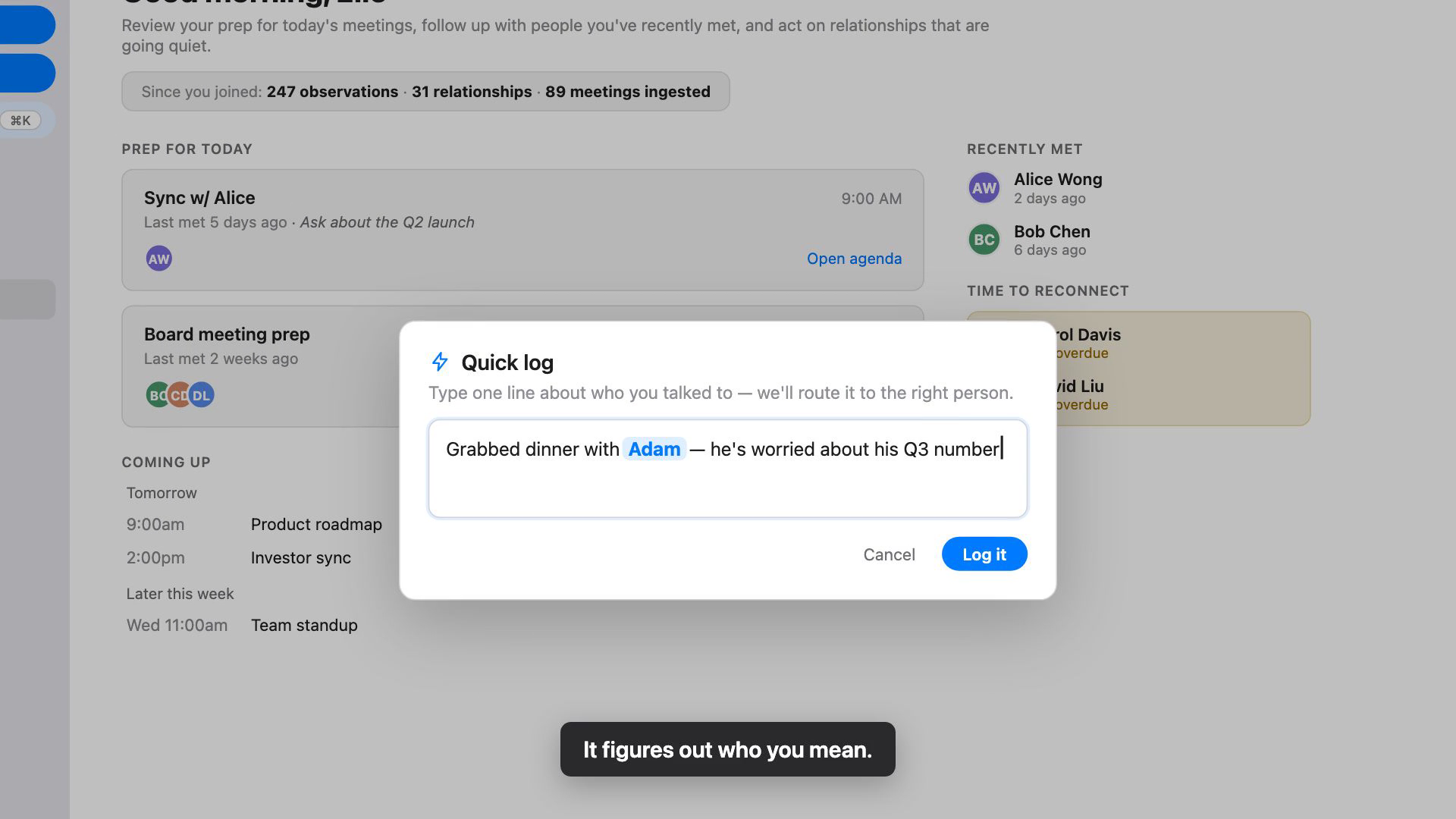
Groupthink reads the sentence, works out who it's about, and files what matters onto your relationship with that person. A confirmation appears with a link to view the person, so you can verify where the note landed.
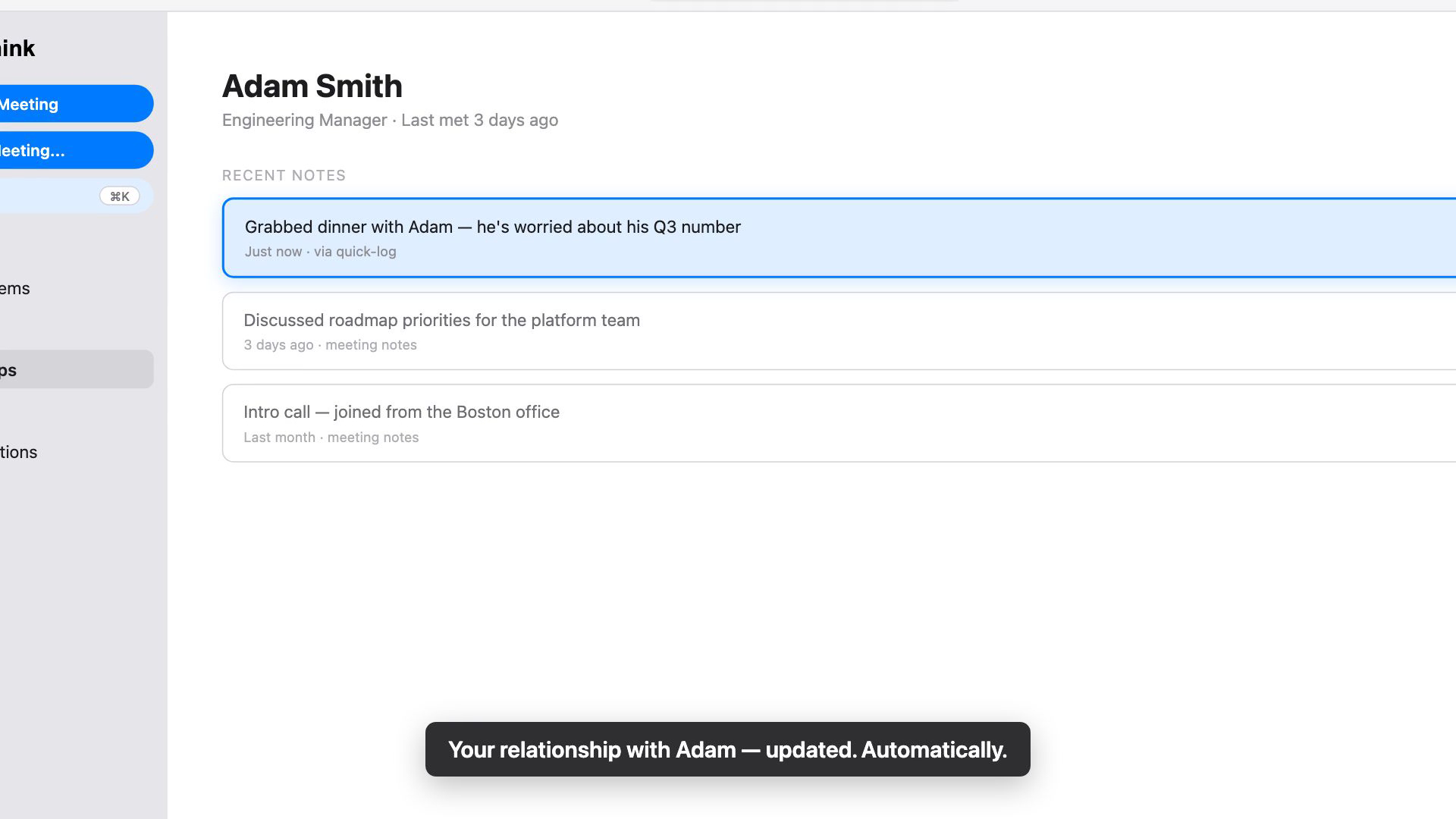
An interaction doesn't have to be a meeting or a call. Anything worth remembering about a person counts:
- "Sarah seemed underwater in standup today"
- "Priya got promoted to director"
- "ran into Dave at the airport, his kid made the travel soccer team"
When names are ambiguous
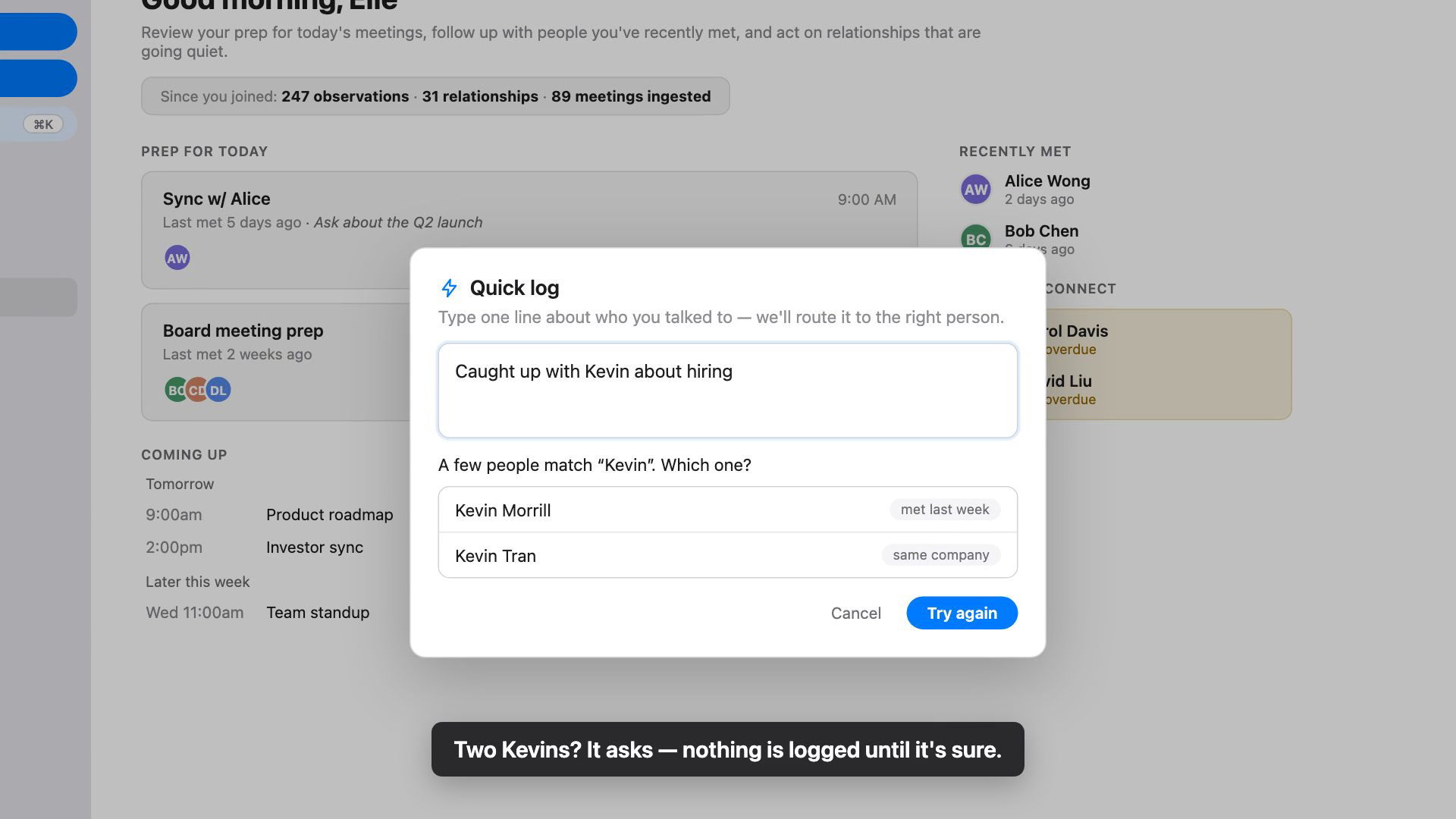
If more than one person matches the name you typed, Groupthink shows you the candidates (with a hint like a recent meeting where one is available) and asks which one you mean. Pick the right person and it logs to them. Nothing is written until it knows who you mean, so a note never lands on the wrong person.
Logging someone new
If no saved contact matches the name, Groupthink offers to create a new contact on the spot and start the relationship from your note. One click and both the person and the note exist.
Where the notes go
Groupthink reads what you logged and adds what it learns to the person's page, attributed to you. From there it feeds the same relationship intelligence as your meeting notes: the Daily Brief will use it to prep you before your next meeting with that person.
Tips
- Name the person directly in the sentence ("Caught up with Priya about hiring"). That is what Groupthink uses to route the note.
- Log it while it's fresh. The whole point is that the capture costs one sentence, so do it in the hallway, not at the end of the week.
- If something landed on the wrong person or needs a tweak, open the person's page, find the entry, and use its correction menu to Refine it or Reassign it to another person.