Log any interaction in one line

Danielle Morrill
Groupthink is your personal CRM. It remembers the people in your life and what matters to them, so you walk into every conversation with context.
But a lot of the moments worth remembering happen away from your desk. You grab dinner with a friend and they mention they’re worried about their Q3 number. You run into a former coworker who just changed teams. You notice someone on your team seemed stretched thin this week, even though they never said so. Those details stay in your head, and your head is a lossy place to keep them.
Part of the reason they never get written down is the work. To log something about a person, you find their record, open a form, pick fields, save. So most of the time you don’t, and the relationship goes stale on paper while it’s alive in real life.
We shipped a faster way. Hit Command-K anywhere in Groupthink (or click “Quick log” in the sidebar), type a sentence, and you’re done:
grabbed dinner with Adam, he’s worried about his Q3 number
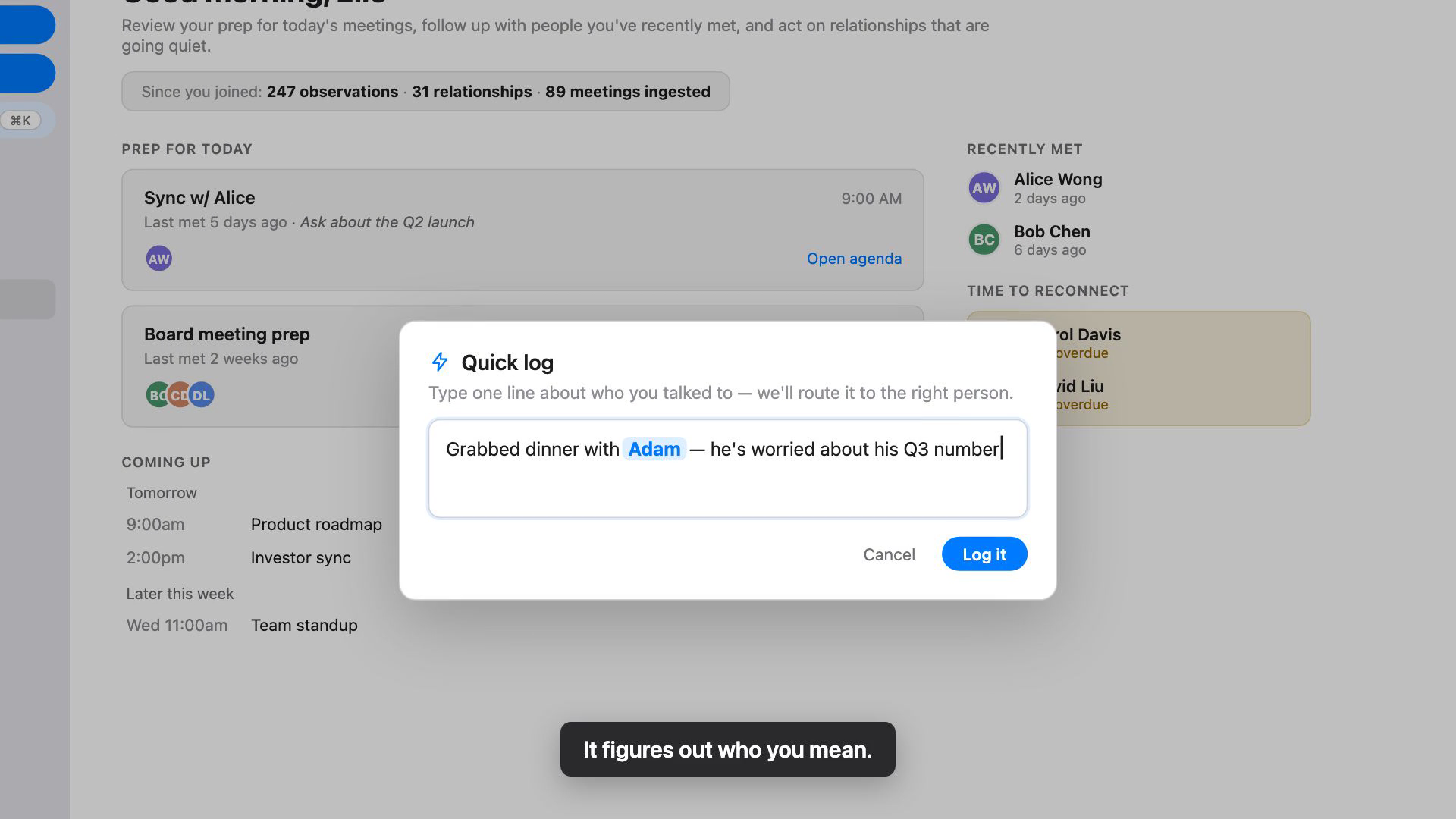
Groupthink reads that, works out it’s about Adam, and updates your relationship with him. You don’t pick him from a list. You don’t fill anything in. You write the way you’d text a friend about what happened.
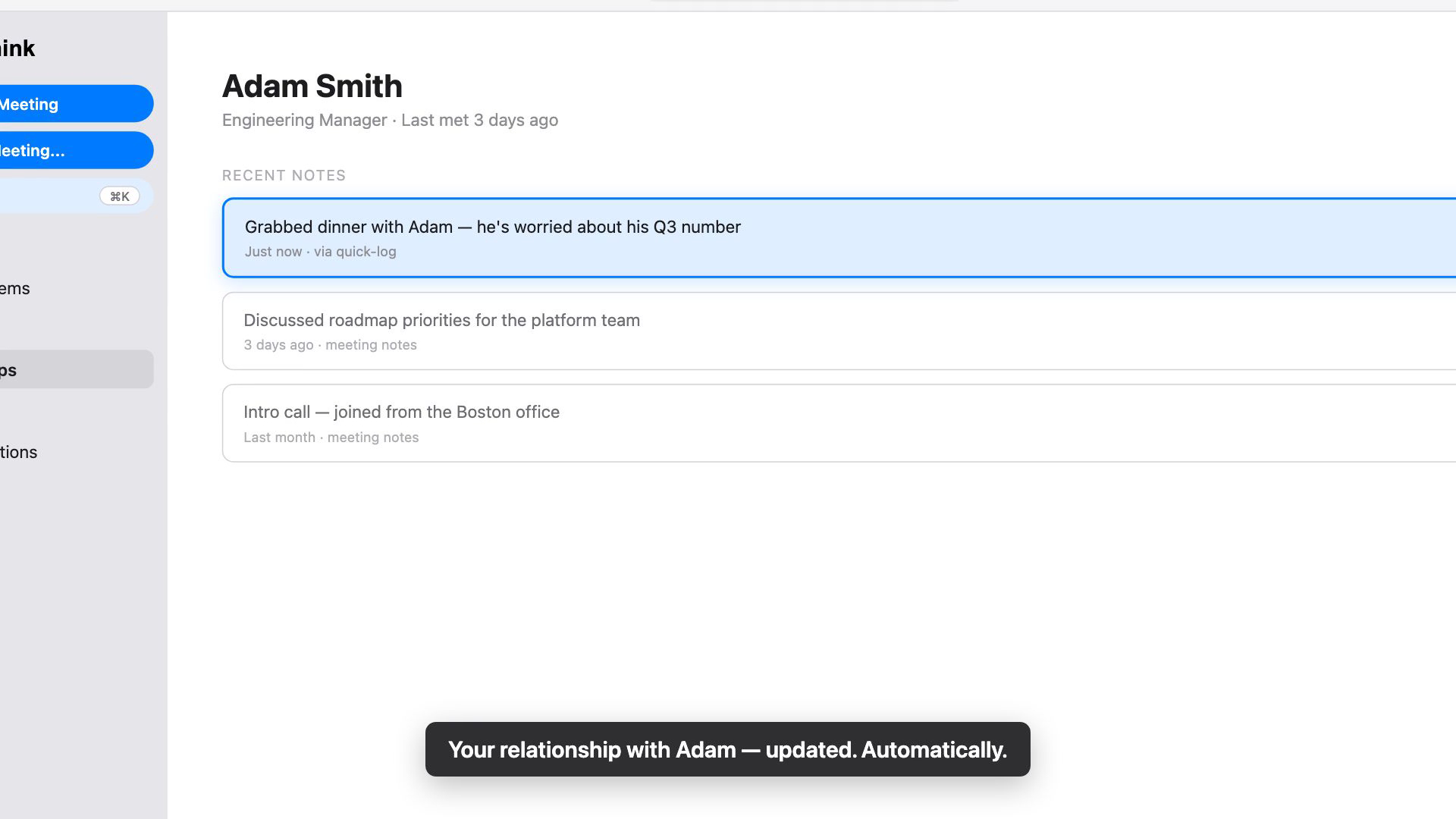
And it doesn’t have to be a conversation. An interaction is anything worth remembering about a person: something they said, something you noticed, something that changed. “Sarah seemed underwater in standup today.” “Priya got promoted to director.” “Dave’s kid made the travel soccer team.” If you can say it in a sentence, it counts.
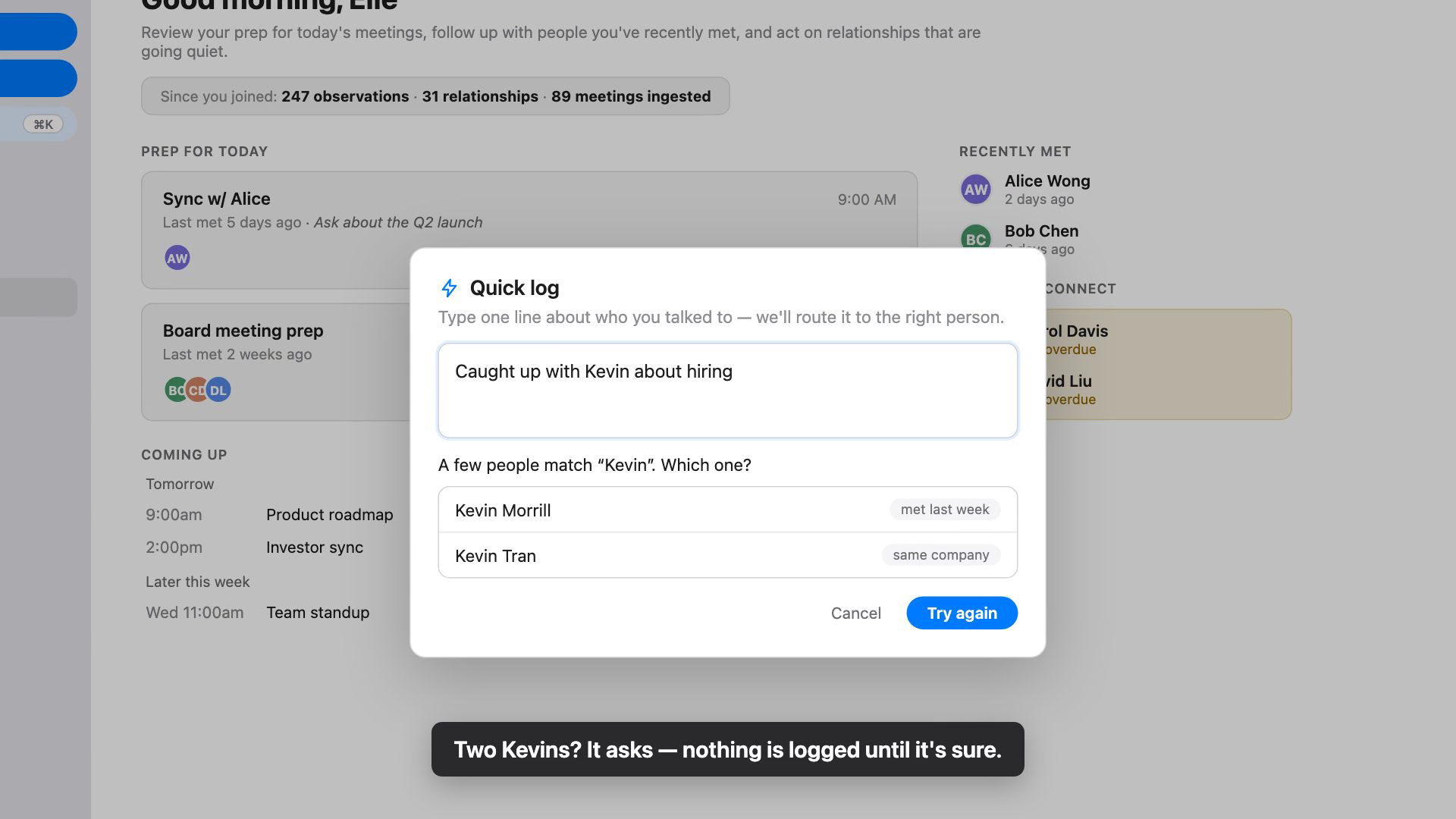
If the name is ambiguous, it asks. Two Kevins in your life and it shows you both so you pick the right one. If the person is new, it offers to add them on the spot and starts the relationship from that note. Nothing gets written until it knows who you mean, so a half-finished thought never lands on the wrong person.
The point is that what Groupthink knows about your relationships stays current from the interactions you actually have: a dinner, a hallway chat, a phone call, a thing you noticed and almost forgot. The next time that person shows up on your calendar, or you’re about to call them back, the context is already there.
Full instructions, including the disambiguation and new-contact flows, are in the Quick Log help doc.
Open Groupthink, press Command-K, and log the last interaction worth remembering. Remember what matters, and make every moment count.