Connect All Your Google Calendars, Work and Personal

Danielle Morrill
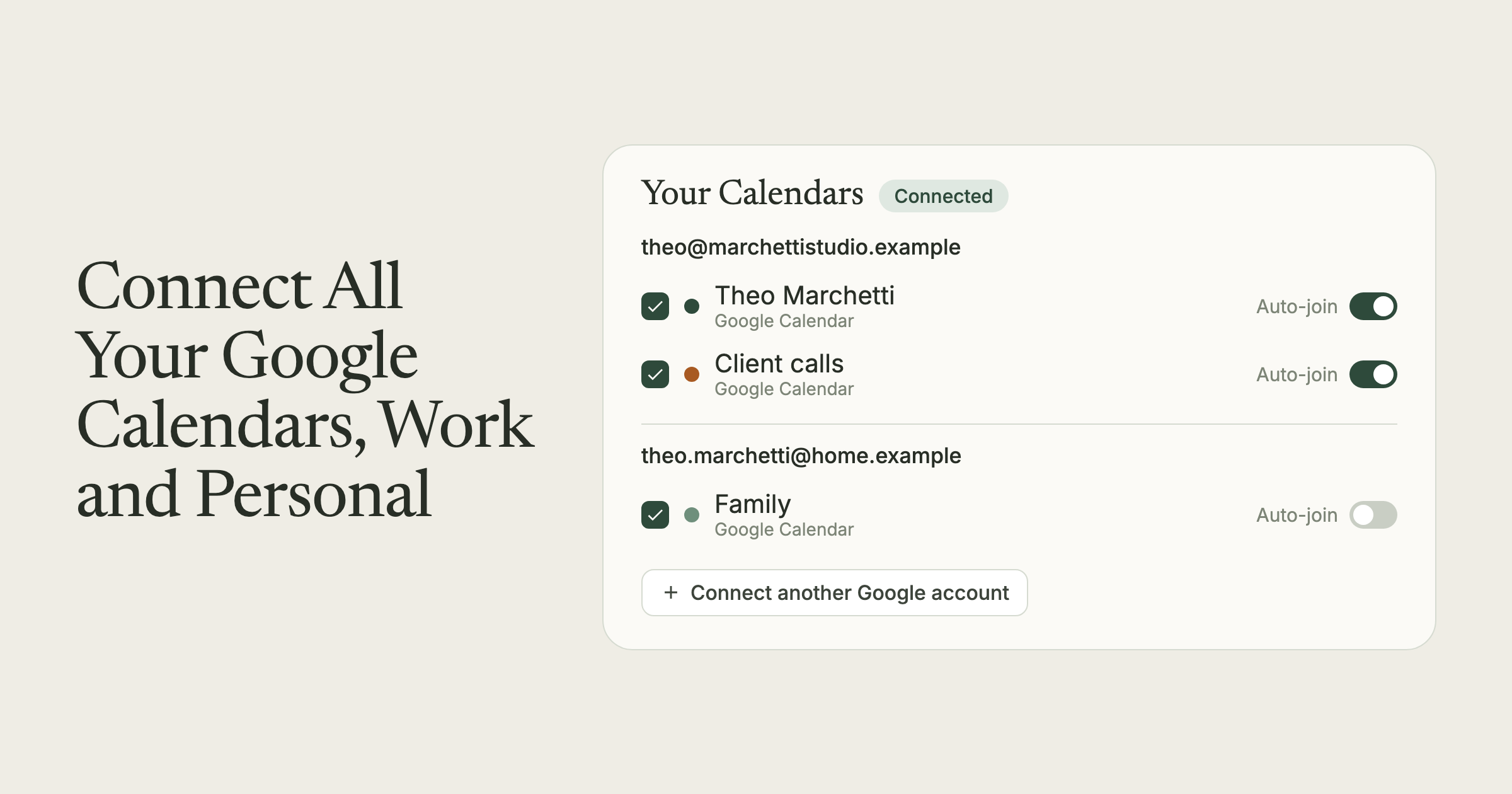
Your life does not fit in one Google account. There’s the work one. The personal one where your dentist appointments and school pickups live. Maybe a client workspace you got pulled into last year and never left. Every one of them has meetings on it, and until now, Groupthink could only see one at a time.
That’s fixed. You can now connect multiple Google accounts to Groupthink, and every meeting on any of them gets what Groupthink does best: notes taken, decisions kept, people remembered. It’s live in your account today.
What shipped
Open Today, then Calendar & booking, and you’ll find a new button: Connect another Google account. Click it, approve the same Google permission flow you used the first time, and the second account’s calendars show up right alongside the first.
The calendar picker is now grouped by account. Each connected account gets its own section with its calendars listed underneath, so you can check exactly the ones that matter: your work calendar from the work account, just the family calendar from the personal one, nothing from the account you keep meaning to clean out.
Two details that make this actually work:
- Duplicates collapse. If the same invite lands on two of your calendars, you see it once. Groupthink keeps the copy with the full attendee list, so nothing about the meeting gets thinner.
- The notetaker follows all of them. Bot join and attendance work across every connected account, not just the first one you set up. A meeting from your personal calendar gets the same notes, transcript, and recap as one from work.
The meetings your tools couldn’t see
Meeting tools tend to assume you are exactly one person with exactly one employer. Anyone who consults, advises, sits on a board, or just has a personal life knows better. The cost of that assumption is real: the meetings on your second account are usually the ones that go undocumented, because your tools couldn’t see them.
Now the conversation with your kid’s teacher, the call with the nonprofit you advise, and Monday’s pipeline review all land in the same place, with the same memory attached. Your relationships and follow-ups don’t care which email address the invite went to. Neither should your notes.
How to try it
- Open Today, then Calendar & booking in Groupthink.
- Click Connect another Google account and approve access.
- Check the calendars you want from each account. Uncheck the noise.
That’s it. Your upcoming meetings list becomes the one complete version of your schedule, and the notetaker treats every meeting on it as first-class.
New to Groupthink? It remembers the people in your life and work, and every calendar you connect adds to that record. Sign up and connect as many accounts as you have.