How to Host Your First Groupthink Meeting

Ali Tyler
Update, October 2026: Groupthink no longer hosts its own video meetings. Start the call in your own conferencing app, and the notetaker can join it there, or the desktop app can record it privately.
Screenshots show Groupthink as of September 2024.
These steps no longer match the app. To send the notetaker to a call today, use + New, then Join by link. Current guides.
Looking to make your meetings more efficient and organized? Whether you’ve enjoyed a Groupthink meeting or are curious about how it can help you, hosting your first meeting is simple and rewarding. Hosting a meeting on a new platform may seem kind of daunting if you are used to another video meeting platform, but Groupthink is pretty similar and easy to use. Plus, there’s a ton of useful features like meeting agendas, automatic meeting notes and recaps, and more. Let’s jump in!
Getting Started
Before you can host a meeting, sign up for a Groupthink account using your email or Google account.
You can then connect your calendar to Groupthink so that you can see all of your meetings and other commitments in one place. If you’ve already scheduled meetings on another video conference platform, you can also add Groupthink to these meetings right from the calendar page.

Creating a New Meeting
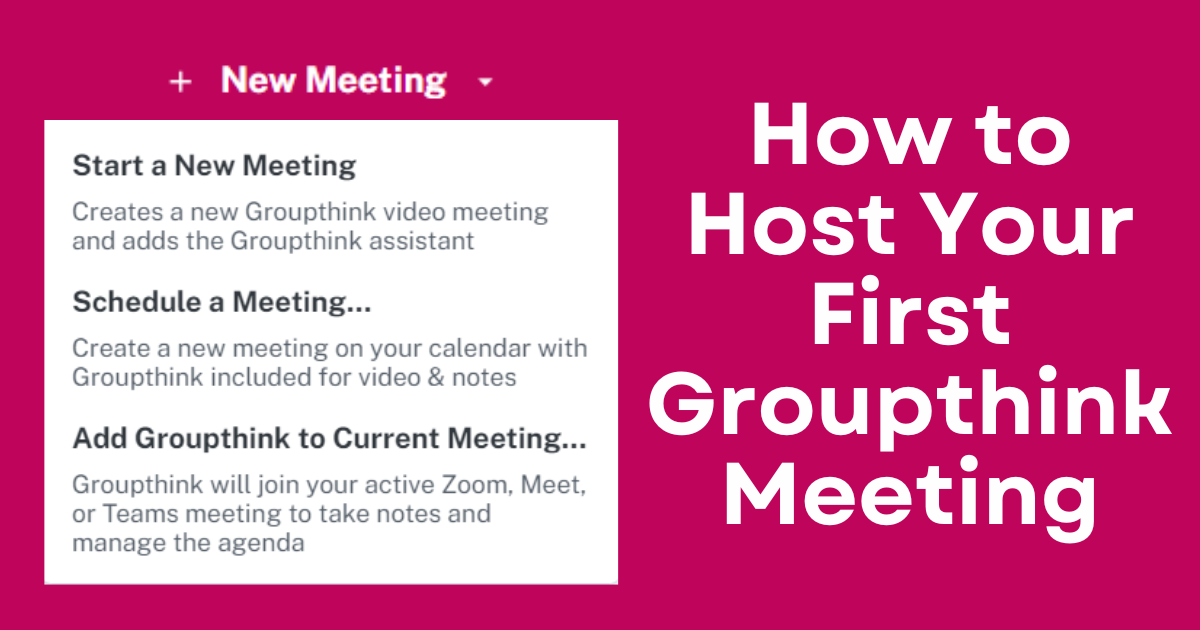
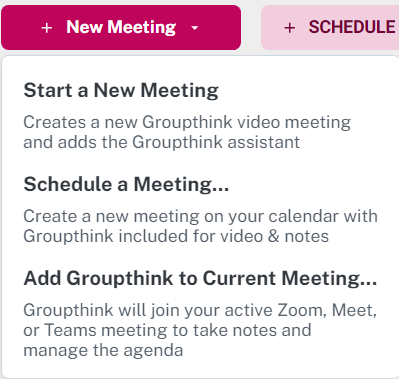
To host a new meeting, you can click the “New Meeting” button in the top left corner of Groupthink. From there, you’ll have three options:
- Start a New Meeting: This will create a Groupthink meeting that starts immediately, which is great for last minute or spontaneous discussions. Once you join the meeting, you can invite others to join you.
- Schedule a Meeting: You can schedule Groupthink meetings in advance and it will appear on all invitees calendars, as well as your own. You can customize the meeting’s time/date, agenda, description, and set it to be recurring.
- Add Groupthink to Your Current Meeting: Select this option if you are currently hosting a meeting on a different video conference platform and it will automatically add Groupthink’s assistant into your meeting.
Okay… But Why Host with Groupthink?
Hosting your meetings on Groupthink rather than a different video platform is beneficial for a variety of different reasons such as:
- Agendas: Create and customize your meeting agenda ahead of time for a smoother and more streamlined meeting experience. You can also use meeting templates for recurring meetings, so you can just set it and forget it!
- Automatic Notes: Speaking and taking notes is hard, so let Groupthink do it for you! Not only do you have access to the full transcription, but Groupthink will also organize your conversation into clear, formatted notes.
- Instant Meeting Slides: As you speak, Groupthink will generate instant slides which will help keep everyone on track.
- Meeting Recaps: After each meeting, Groupthink will send everyone a summary with key decisions, action items, and suggestions for the next meeting’s agenda. Groupthink also stores meeting recordings and transcripts for up to 14 days, so you can access past meetings whenever you need.
And that’s just scratching the surface! Ready to experience more organized, productive meetings? Give Groupthink a try today and see the difference! If you have any suggestions or questions, please reach out to support@groupthink.com. Happy hosting!