Groupthink launches voice dictation to build a consumer voice interface for relationship management

Danielle Morrill
Update, October 2026: the Captures page is now called Conversations.
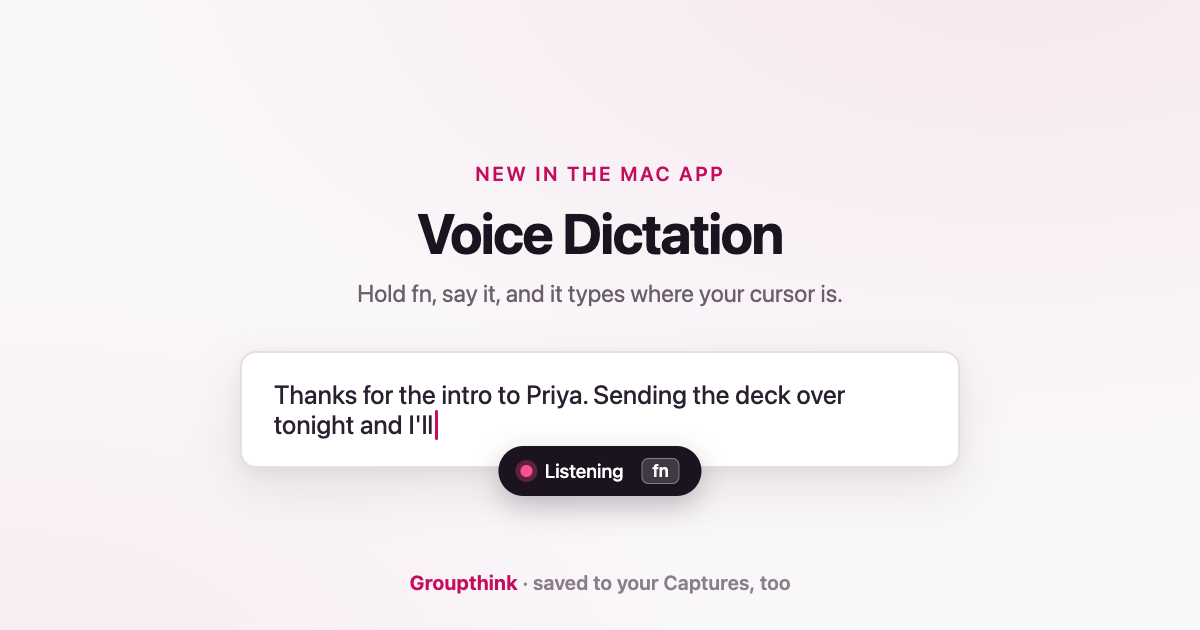
Anyone running the Groupthink desktop app on a Mac can now hold the fn key, say something, and let go, and the words are typed wherever the cursor is. Everything dictated is also saved to Groupthink’s Captures history and, when Groupthink can tell who it is about, filed against that person.
Groupthink, which keeps a memory of the people in someone’s life and work from their meetings, notes, and captures, today announced Voice Dictation for its Mac desktop app. Dictation is not new. What is new is where the words end up.
How it works
Hold the fn (Globe) key in any app. A small pill appears and shows the words as they are spoken. A quick tap of the key does nothing, so fn keeps its normal job. On release, the final transcript is pasted at the cursor in whatever app is in front: a Slack reply, a commit message, an email, a terminal. The paste goes through the clipboard, and whatever was on the clipboard beforehand is put back once the paste lands.
At the same moment, the same text is sent to Groupthink and saved to Captures, a page in the app’s left navigation and in the desktop menu bar. Captures lists every dictation newest first, each with a copy button, so a line spoken into a terminal on Tuesday can be pulled back out on Friday. When a dictation names someone the user knows, Groupthink files it against that person too, and from then on it is part of that relationship. When Groupthink is unsure who the words are about, the capture is held on the Captures page and marked for the user to confirm.
Three things about the gesture are adjustable, all on the Voice Dictation on this Mac card in Settings > Capture. The gesture itself can stay on Hold the fn key or move to a keyboard shortcut, which is the answer when another app already owns fn. The microphone a capture opens can be pinned to a specific device rather than following the system default, with a level meter next to the selected device so a dead microphone is visible before it matters. And typing at the cursor is a setting, on by default; with it off, dictation still lands in Captures and nothing is typed.
The permissions, in plain terms
macOS asks for up to four permissions the first time Voice Dictation is used, and one of them sounds worse than it is.
- Microphone, to hear the dictation.
- Input Monitoring, so Groupthink can notice the fn key going down and coming back up. The listener watches modifier-key changes only and acts on the fn key alone; it does not read what is typed. macOS shows no explanation of its own for this permission, which is why it is spelled out here.
- Accessibility and Automation (for System Events), which are what let Groupthink paste at the cursor. Without them, dictation still works: the words are copied to the clipboard and the pill says to press Cmd-V.
Why it matters
Every dictation tool shares the same ending. The words land in a text box, and the moment the box is submitted they are gone. A dictated follow-up about a client is not on the client’s record. A sentence about a candidate is not anywhere the candidate can be found again in November. Voice Dictation in Groupthink types the words the way the others do, and keeps a second copy where a record is being built.
“Dictation tools put the words in a text box and forget them,” said Elle Morrill, founder and CEO of Groupthink. “Half of what I dictate is about a person: a follow-up, or something they told me. We built dictation inside the record, so a sentence spoken about someone becomes part of what I know about them.”
Voice Dictation is not metered and is not reserved for paid accounts. There is no word quota and no plan check; what a paid plan buys is recording conversations, not dictating into them.
Every account starts with a 30-day trial of the full product, no credit card required. Start a trial, install the Mac desktop app, and dictate the next reply instead of typing it.
Voice Dictation follows Capture anything, which brought photos, PDFs, and pasted text into the same record, and it shares the Captures page with them. It is available in the Groupthink desktop app for Mac. Typing at the cursor is not yet available on Windows. Another dictation app on the same key is a common case rather than an edge one, because hold-fn is a popular default. Both apps can hear the same press, in which case the words arrive twice. Groupthink names the other app in Settings > Capture and offers a keyboard shortcut instead, so nobody has to quit the tool they already trust. Setup, the permission prompts, and both conflict cases are covered in the help doc: Voice Dictation.